
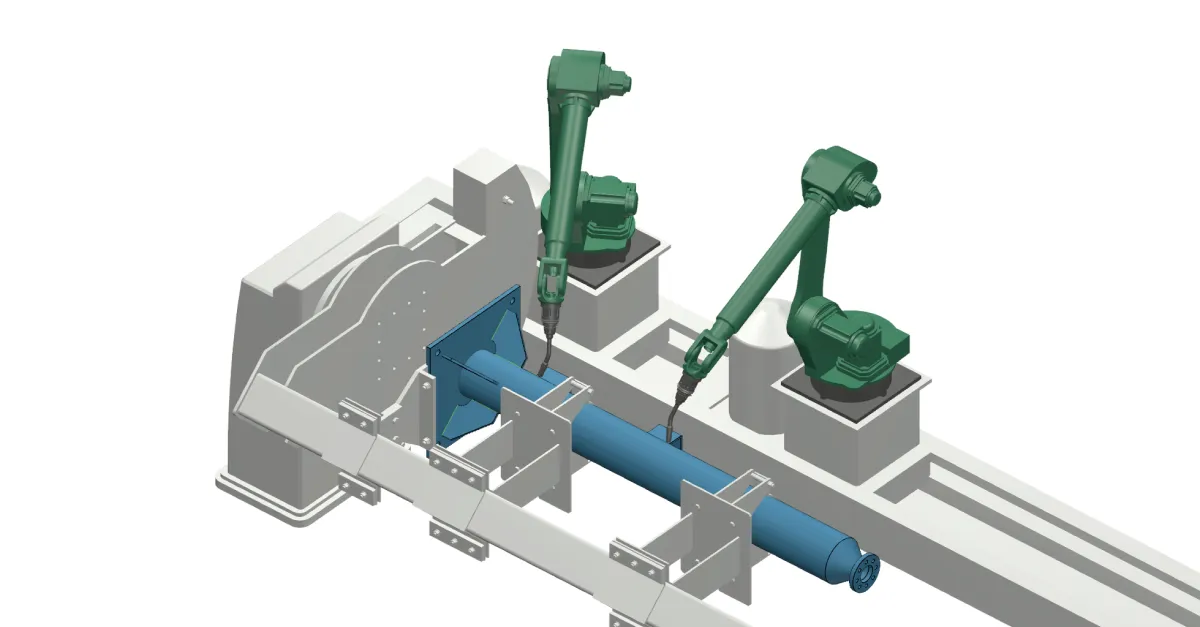
A second welding robot can help you finish parts sooner and free capacity for other work. With two torches working on the same assembly, some welding and travel that one robot would perform in sequence can happen at the same time. The robots share the fixture holding the part, and the positioner that turns it.
Ideally, dividing the workload between two robots would let you complete the part in half the time. In practice, the required welding positions and the room available to approach and move away from each weld limit which welds can run in parallel. How the welds are assigned and sequenced determines how much of that theoretical 50% time saving the cell can achieve.
Find work the robots can do at the same time
Imagine a beam with brackets to weld near both ends. In this example, the fixture holds the beam so both ends are accessible in a suitable welding position, and the welding procedure allows these joints to be welded at the same time. One robot welds the brackets at the left end while the other welds those at the right. A single robot would have to complete both groups in sequence.
The robots can also overlap different tasks. One might weld a long seam while the other moves between several short welds. For parts that require one robot to travel along a track from one side to the other, a second robot can reduce that travel.

There must be room for each robot to approach a joint, weld it and move away from the joint. Even when both torches can reach their joints, one robot's wrist or arm may cross the other's path during these movements. Those motions have to run at different times.
The weld sequence must still meet the welding procedure's requirements, including the order of successive passes in a joint. A sequence chosen only to suit a single robot's route can be reconsidered for a multi-robot cell.
Useful simultaneous work can also occur close together. On suitable double-sided fillet joints, two torches can weld opposite sides at once to balance shrinkage and help control angular distortion. That requires an appropriate joint and welding procedure. Distance between the welds alone does not determine whether two robots are useful.
Both robots also need their assigned joints presented at the same part angle. Turning the assembly to help one robot changes the position of the other robot's joints too.
A shared positioner makes waiting part of the cycle
A positioner holds and turns the assembly to make its joints accessible in a suitable welding position. In a shared setup, turning the beam rotates both ends together. The angle must therefore suit the joints assigned to both robots at that stage.
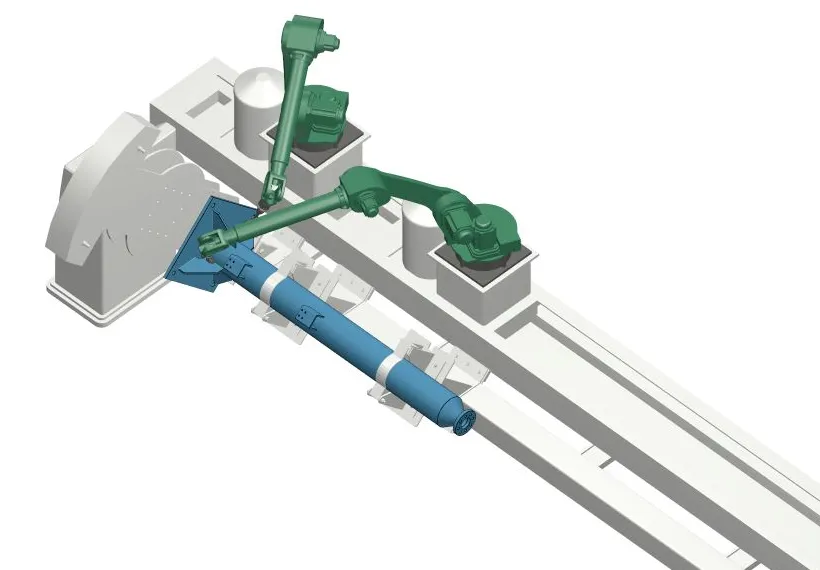
Take the same beam, welded at two fixed angles. With its upper face presented, the left-hand robot has more welding to do. The right-hand robot finishes first and waits: turning the part now would interrupt the left-hand robot's welding.
Once both robots have finished and moved clear, the positioner turns the beam to expose its underside. Here the right-hand robot has more work, so the left-hand robot finishes first and waits.
Each robot can therefore have the same amount of work across the whole part and still spend time waiting at each angle. Assigning some upper-face joints to the right-hand robot could shorten the first wait, provided it can reach and weld them, then move away without obstructing the other arm.
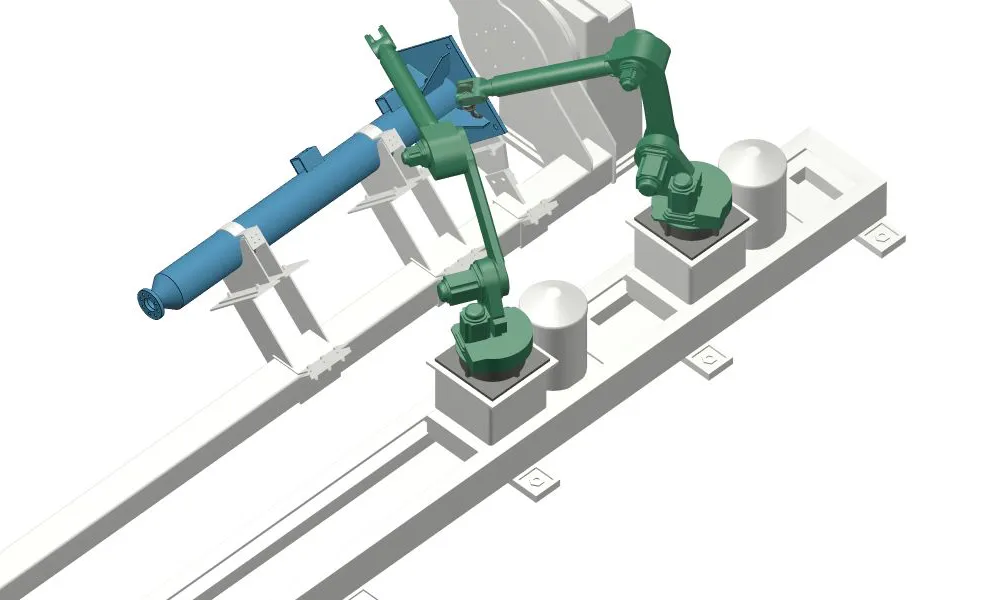
The programs need to enforce this sequence. In programs that run independently, a handshake is an exchange of signals confirming that an agreed stage has been reached. In this example, the positioner turns only after both robots signal that they have finished their work and moved clear. Each arm can take a different amount of time to reach that point.
The aim is to shorten the complete cycle enough to meet a production need. Keeping both robots busy every moment is unnecessary, and extra travel added only to equalize their workloads can make the cycle longer.
When the part moves during the welding process
The beam example uses fixed positions for welding and turns between them. Another arrangement is to rotate a part during a weld, for example when welding around a pipe. The torch must maintain the required relationship to the joint as the part moves.
With robot-positioner coordinated motion, the controller links the robot's motion to the positioner's rotation throughout that operation. A handshake at the start and finish only confirms those stages have been reached. It does not provide this continuous motion relationship.
Two robots can weld separate joints at the same fixed part angle without continuously linking their motions to each other. If both weld while the shared part rotates, both welding motions must be compatible with that rotation. The cell's controller capabilities, installed options and motion setup determine how this can be done.
Check that the shorter cycle becomes useful capacity
The work that takes time today also points to alternatives. If much of the cycle is spent filling one large joint, a higher-deposition-rate process may address that work more directly. Tandem welding, for example, feeds two wires through one torch into a common weld pool. With a suitable process and joint, tandem welding can achieve up to twice the deposition rate of a conventional single-wire process. Two robots, by contrast, gain more from parts with several separately accessible joints. On very large parts, both approaches may be useful.
Sharing one positioner between two welding robots can avoid duplicating substantial equipment and floor space in a second cell. Separate cells, however, can handle different parts and turn them independently. Long waits caused by incompatible part orientations may make that independence more useful. Compare the complete arrangements, including tooling, welding equipment, integration and maintenance.
Loading matters too. In a two-station cell, one station can be unloaded and reloaded while the robots weld at the other. If the next load is ready when welding finishes, a shorter robot program can bring the next exchange forward. If loading takes longer than the robot program, the robots wait for the next part.
Compare the same completed work under the required welding conditions, including sensing, travel, turns and waiting. Use a credible single-robot program: removing an unnecessary turn may save time with one arm as well. Apply the additional saving from the second arm to the parts and quantities you will actually run, and distinguish simulated times from those demonstrated in the cell.
Include the work of programming two robots
The team must decide which robot welds each joint, how it gets there and where the robots wait for each other. Changing an assignment can change the route around a clamp, the part angle needed and the work the other robot can do at the same time. Two individually workable robot programs still need a combined plan.
Teaching or adjusting motions at the cell with the handheld control pendant uses the equipment itself. If the shared cell is stopped for this work, both arms are unavailable for production there, even while only one is being programmed. Preparing programs offline can move much of that work away from the cell. Proving and adjusting them on the equipment still needs time.
A repeat part can reuse its program. New designs or fixture changes can require some of the assignment and motion decisions again. The investment therefore depends on both the shorter production cycle and the preparation needed across your part mix.
How ArcNC plans the work for both robots
ArcNC automates multi-robot planning from the CAD file, cell model and configured welding settings. It generates possible weld motions and positioner angles, assigns welds to robots and builds the weld sequence. It also plans the transitions between welds and the positions where each robot waits, checks the space needed by the robots for work scheduled together, and inserts handshakes.
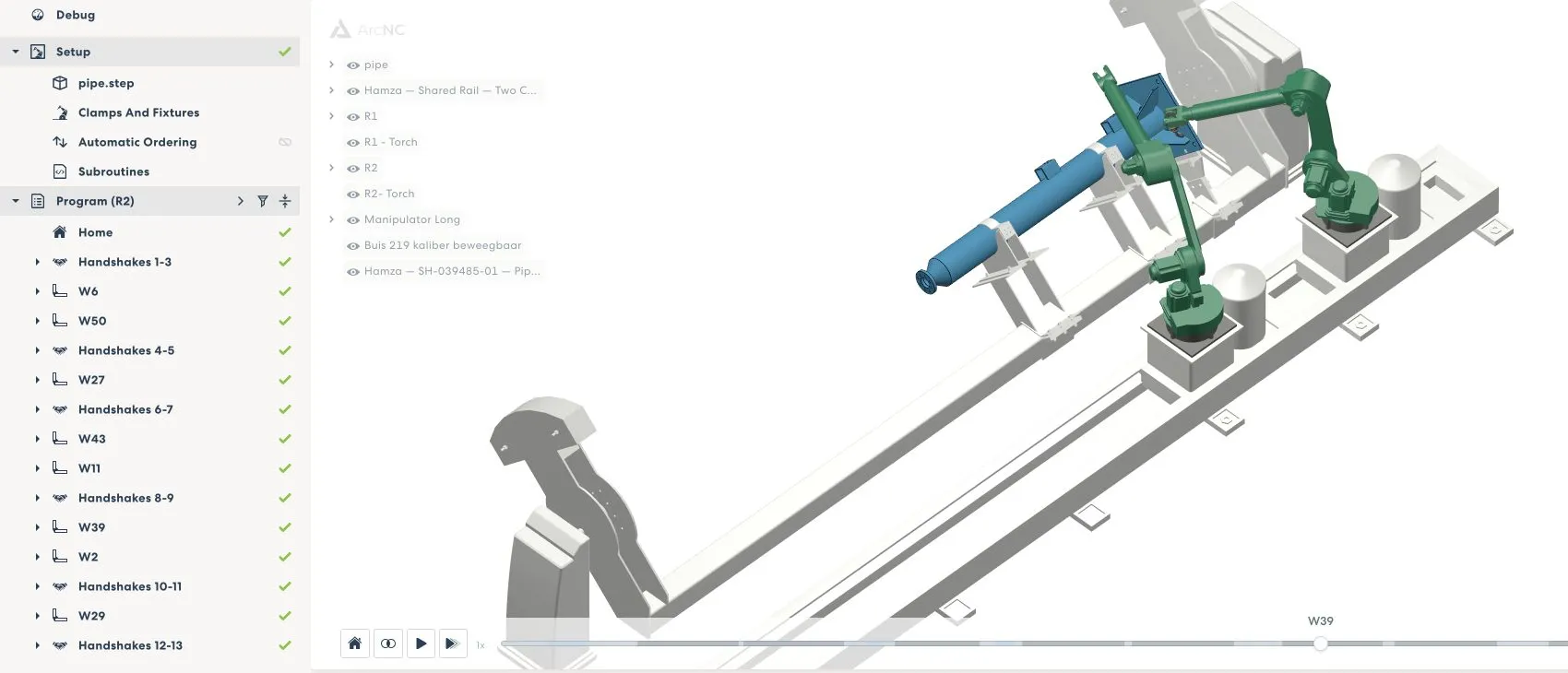
The generated programs progress independently between those points. One arm can weld several short joints while the other welds a longer seam, then wait where the programs require it. Users can change assignments, select another motion or set the weld sequence.
ArcNC can also help compare cell layouts before an investment. By generating and simulating programs for the same part in different cell models, you can compare estimated robot cycle times and see where each arrangement leaves a robot waiting. Include loading and other cell operations when assessing the resulting production capacity.
A dual-robot cell is worth considering when the part provides useful simultaneous work, the shorter complete cycle creates needed capacity, and the programming effort is practical for the work you run. Understanding where the arms can work together, where they must wait and how often the plan will change gives you a basis for judging that investment.
Frequently asked questions about dual-robot welding
When is a dual-robot welding cell a good fit?
A dual-robot cell is a good fit when both robots can work on the part at the same time and the shorter complete cycle creates useful production capacity. Both arms need suitable access, welding positions and room to approach and move away from their joints. The welding procedure must also allow the planned overlap.
How much can a second welding robot reduce cycle time?
The theoretical limit is a 50% reduction if the work can be divided evenly and completed in parallel. Real results depend on joint access, welding positions, robot travel, positioner turns, waiting and loading. Compare both arrangements using the same finished part and welding conditions.
Why does one robot wait when both share a positioner?
A shared positioner turns the entire assembly, so a new angle affects the joints assigned to both robots. The robot that finishes first may need to wait until the other finishes and both arms move clear. Equal total workloads can still produce waiting at individual angles.
How do handshakes and coordinated motion differ?
A handshake confirms that an agreed stage has been reached, such as both robots finishing and moving clear. Coordinated robot-positioner motion continuously links a robot's movement to the rotating part during an operation. If both robots weld while the part turns, both welding motions must suit that rotation.
How is dual-robot welding different from tandem welding?
Dual-robot welding uses two robot arms to overlap work on separately accessible joints. Tandem welding feeds two wires through one torch into a common weld pool to increase deposition rate. The better option depends on whether cycle time is dominated by one large joint or by several joints that two robots can reach independently.
Should you use one shared dual-robot cell or two separate cells?
A shared cell can avoid duplicating equipment and floor space. Separate cells can handle different parts and turn them independently, which may be more useful when a shared positioner creates long waits. Compare tooling, welding equipment, integration, maintenance and the resulting production capacity.
Can a dual-robot welding cell be programmed offline?
Yes. Offline programming can move much of the planning away from the production cell. The two programs still need a combined plan for weld assignments, routes, waiting points and synchronization. Final testing and adjustment take place on the equipment.
How does ArcNC automate multi-robot welding programming?
ArcNC uses the CAD file, cell model and configured welding settings to generate possible weld motions and positioner angles, assign welds and build the sequence. It also plans travel and waiting positions, checks the space needed for work scheduled together, and inserts handshakes. Users can change assignments, choose another motion or set the weld sequence.